

Your hotel in your team's pocket.
Today's arrivals, check-in and check-out, rooms to clean and instant alerts, from a phone. For Android and iPhone, connected to the same Dashy the front desk uses.
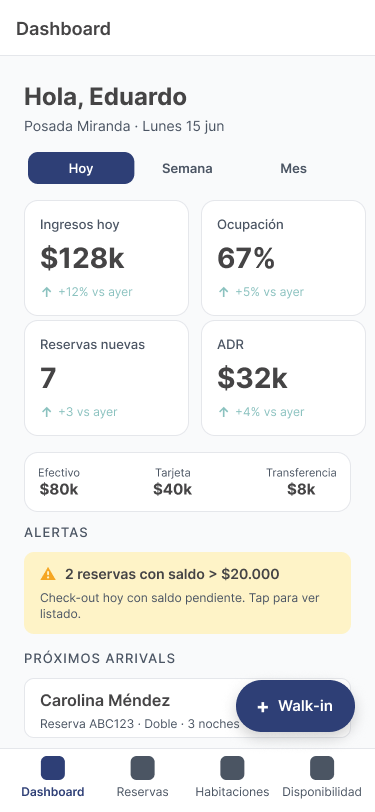
The essentials of the day, in hand
The day at a glance
Arrivals, departures, occupancy and dirty rooms; owners also see revenue, ADR and RevPAR.
Check-in and check-out
Welcome and see off guests without going back to the desk; if a balance is due, the app won't close the stay.
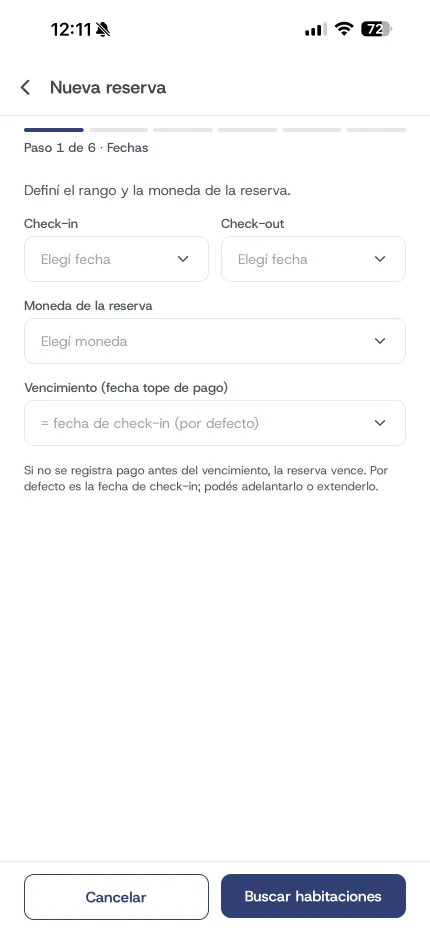
Walk-ins in a few steps
Register guests who arrive without a booking: dates, currency, room and details.
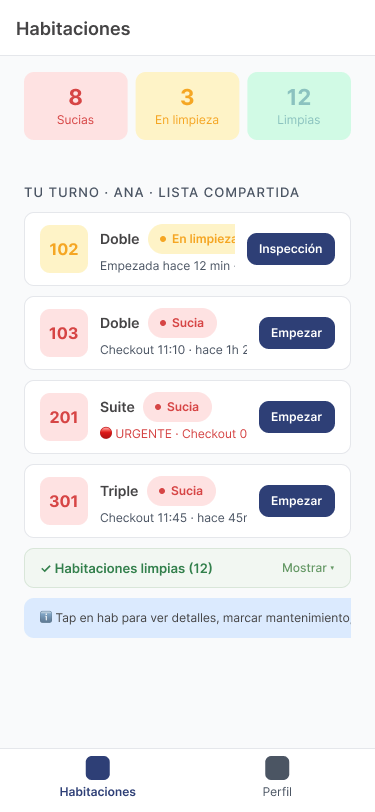
Housekeeping
Housekeepers mark each room as clean, dirty or under maintenance, and the front desk sees it right away.
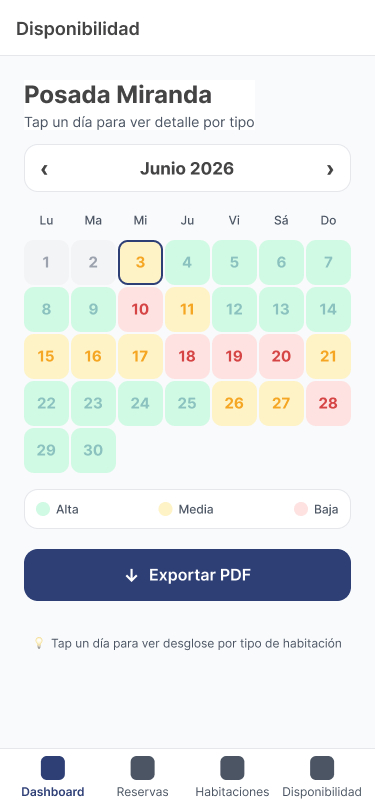
Monthly availability
An occupancy calendar to answer quickly how much is still free.
Instant alerts
New reservation, upcoming arrival, room ready and the day's alerts.
Everyone sees what they need
The app follows the same roles as the desktop system. Front desk handles reservations and check-in; housekeepers only see their cleaning queue; viewers see availability without prices or guest data; and the Operator checks guests in and out without seeing any amounts.
- Owner and administrator: everything, with business metrics
- Front desk: reservations, walk-ins, check-in and check-out
- Housekeeper: housekeeping only
- Operator: read-only plus check-in, no amounts
- Viewer: availability without prices or personal data
One app for all your properties
If you run more than one inn, switch between them in the same app. And each reservation keeps its currency: dollars, pesos or bolívares, with a breakdown of what was paid.
Built for Argentina and Venezuela
- Several properties with one user
- Dollars, pesos and bolívares on the same reservation
- DNI, cédula, RIF or passport when registering guests
- Android and iPhone
Staff app frequently asked questions
Does it replace the desktop system?
No, it complements it: setup, quotes and full reports stay on the desktop, and the app brings to the phone what gets done walking around the hotel.
Which phones does it run on?
Android and iPhone.
Can I give the app to an employee without them seeing the money?
Yes, with the Operator role: they check guests in and out and see the payment status, but no amounts.
Explore the rest of Dashy
Each module works on its own and does more connected to the rest.
- PMS
Your whole hotel on one screen
Learn more - Booking engine
Your website sells on its own, commission-free
Learn more - Channel Manager
Booking, Expedia and more, always in sync
Learn more - WhatsApp agent
A receptionist that books and collects on WhatsApp
Learn more - Voice agent
Answers the phone when you can't
Learn more - Payments
Get paid online and stop chasing payments
Learn more - Marketplace
More channels to sell your nights
Learn more - AI visibility
Your hotel, visible in ChatGPT, Gemini and Claude
Learn more
Put your hotel on your phone.
Book a demo and we'll show you the app through a real day of operations.